
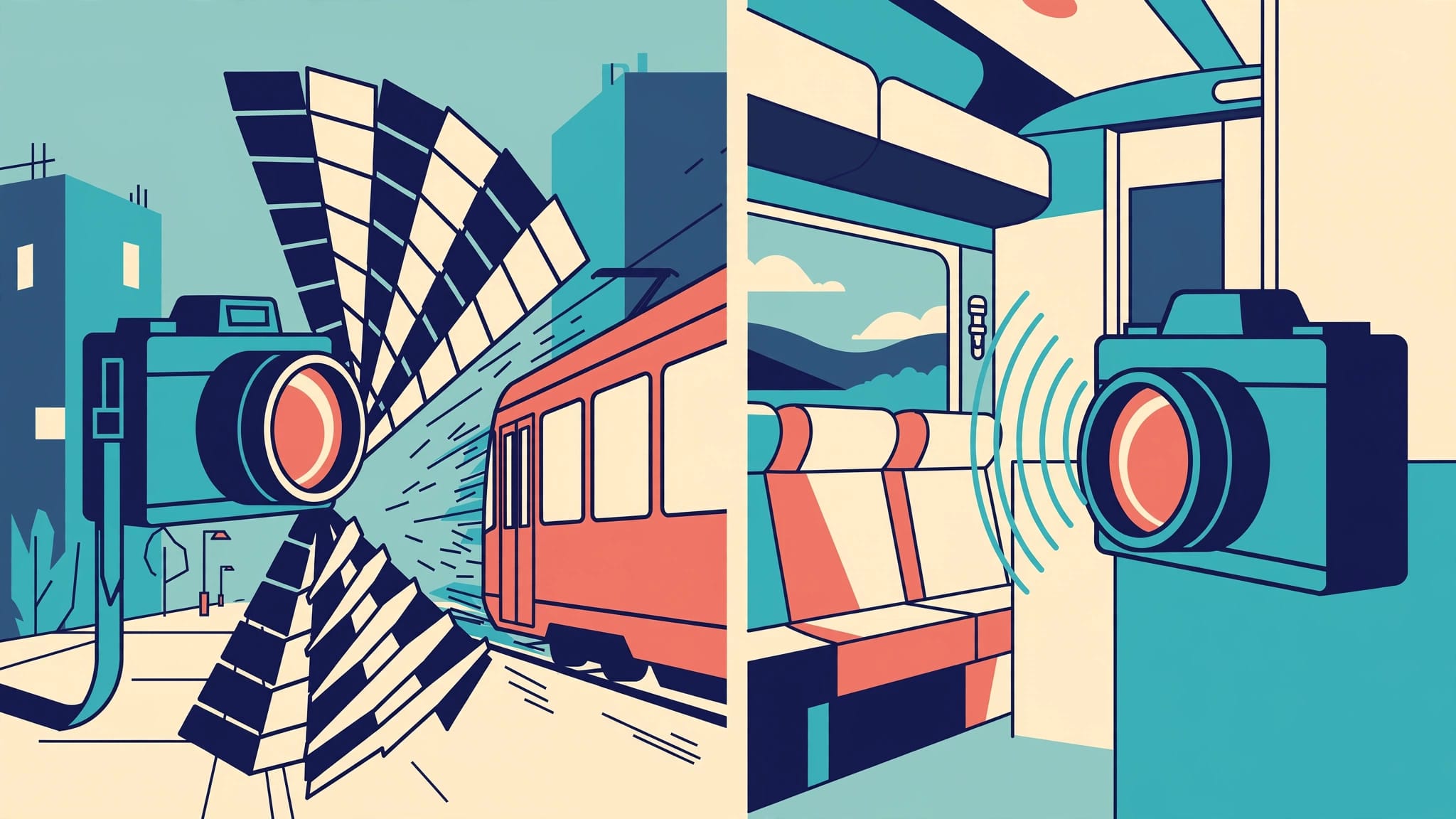
For travel photography, a mechanical shutter is usually the safer choice for fast movement, while an electronic shutter is useful when you need a discreet exposure. The right choice depends on your camera and the scene in front of it.
The distinction can be confusing because shutter mode and shutter speed are separate settings. Understanding both helps you photograph a quiet interior, a passing tram, or a blue-hour skyline without relying on one mode for every situation.
How electronic and mechanical shutters work
A mechanical shutter controls exposure with physical curtains that move across the sensor. An electronic shutter controls exposure at the sensor itself, without moving those curtains for each frame. Nikon’s shutter comparison describes the basic distinction.
Mechanical shutter curtains
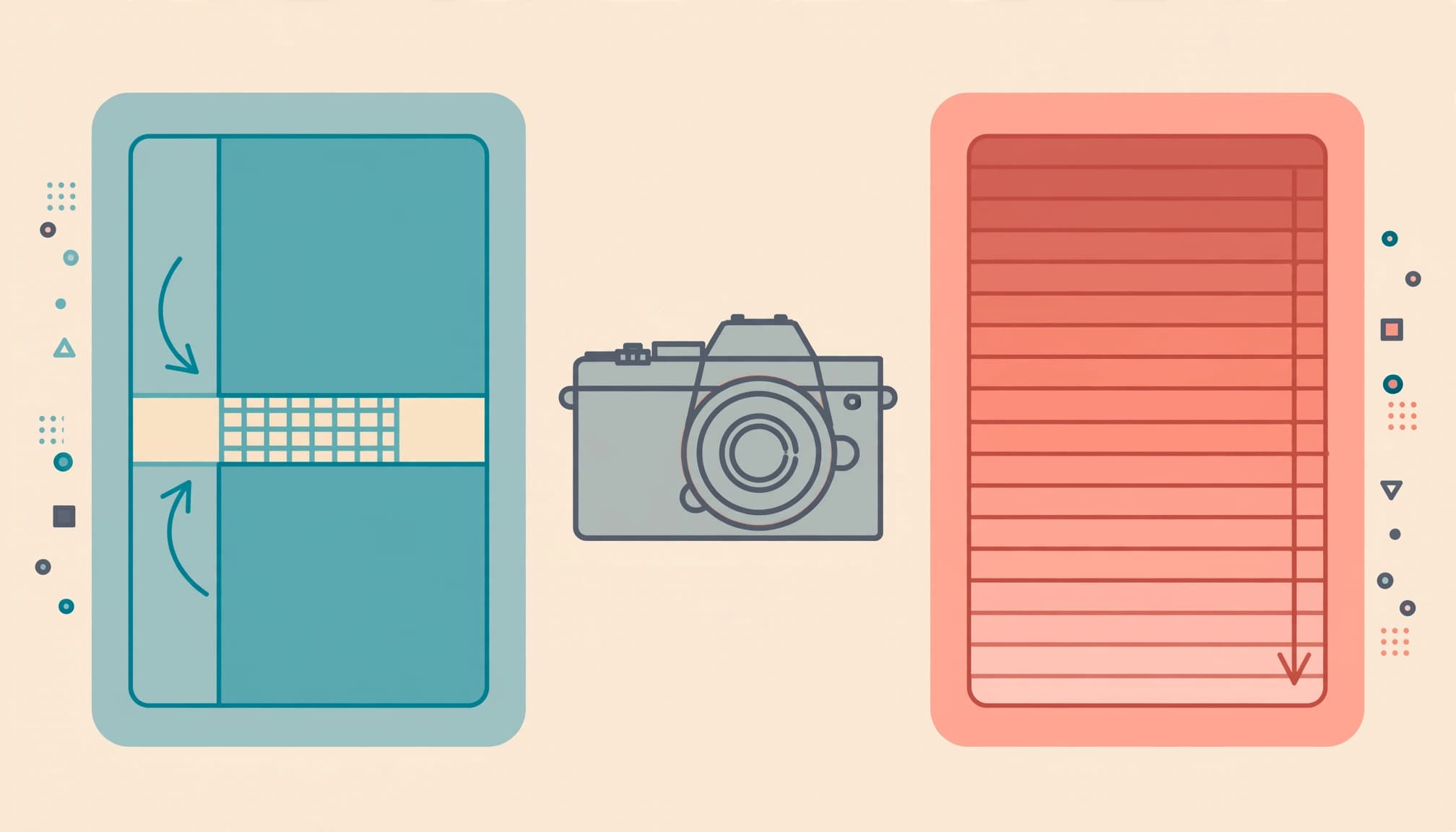
Most mechanical focal-plane shutters use two curtains. The first begins the exposure, and the second ends it. At fast shutter speeds, a narrow gap travels across the sensor rather than exposing the whole sensor at once.
That movement produces the familiar shutter sound on many cameras. It can also introduce a small amount of vibration, although its effect on a photograph depends on the camera and shooting conditions.
Electronic sensor readout
An electronic shutter starts and ends exposure electronically. On many cameras, the sensor records the frame in a sequence of rows rather than all at once.
That distinction matters when the subject or camera moves during readout. Some sensors read faster than others, so electronic shutter performance varies between camera systems.
A third option, electronic front-curtain shutter, combines an electronic start with a mechanical end. It’s useful to understand as a separate mode rather than assuming it behaves exactly like either of the others.
Shutter mode and shutter speed are different
Shutter mode describes how the camera controls exposure. Shutter speed describes how long each part of the sensor gathers light.
For example, you can select 1/1000 second with either a mechanical or an electronic shutter. That short exposure can help freeze a cyclist, but it doesn’t necessarily eliminate distortion caused by a slower electronic sensor readout.
The distinction matters when you’re choosing settings on the move:
| Setting | What it controls | Travel example |
|---|---|---|
| Shutter mode | How exposure starts and ends | Mechanical for a passing tram |
| Shutter speed | Exposure duration | 1/1000 second to help freeze the tram |
| ISO | Sensor sensitivity setting | Auto ISO to accommodate changing light |
| Aperture | Lens opening | f/8 for a daylight street scene |
Choose the mode for the scene’s technical demands, then set the speed for movement and exposure. For more on that second decision, see these slow shutter speed photography techniques.
Moving subjects and rolling shutter
A sequential electronic readout can record different parts of a moving subject at slightly different moments. This is called rolling shutter distortion. Canon discusses the effect in its electronic shutter guide.

Watch for slanted shapes
One common example: a tram crossing the frame. If it moves far enough during the sensor readout, its vertical edges can appear tilted. Wheels, propellers, and other rapidly moving subjects can also look distorted.
Panning can produce a similar problem in the background. A building may look slanted even though it stayed still, because the camera moved while the sensor read the scene.
Mechanical shutters also expose the frame progressively at certain speeds. However, they are often a more dependable starting choice when fast motion and straight lines matter.
Photographing through a train window
Movement matters even when the scenery is stationary. Nearby poles and buildings pass quickly across the frame as the train moves, while distant mountains appear to move more slowly.
In one train window photography account, a photographer approaching the Landwasser Viaduct found that a frame at 1/160 second had soft stone edges; a later view at 1/1000 second and a higher ISO appeared sharper. That’s a shutter-speed lesson rather than proof of a shutter-mode problem.
Start around 1/500 second for distant scenery, and try 1/800 or 1/1000 second when nearby detail matters. If electronic readout skews passing structures, mechanical mode is a useful choice for the next frame.
Quiet interiors and unobtrusive shooting
An electronic shutter can reduce the sound of taking a picture because it doesn’t need to move the mechanical curtains for each exposure. That makes it attractive in a quiet museum, a place of worship, or a small performance venue where photography is permitted.
Sound settings vary by camera. Autofocus confirmation, simulated shutter sounds, or other camera operations may still be audible, so electronic mode doesn’t guarantee a completely silent camera.
Discretion involves more than sound. Follow the venue’s photography rules and give people room. A silent shutter doesn’t make a prohibited photograph acceptable, and it doesn’t replace permission when a situation calls for it.
For a static interior, electronic mode can be a practical starting point. If people move through the frame, choose a shutter speed that suits their movement rather than relying on the shutter mode to freeze them.
Artificial light and uneven exposure
Indoor lighting adds another consideration. Some LEDs and fluorescent lights flicker, even when your eyes perceive steady illumination. An electronic shutter’s sequential readout can record that changing light differently across the frame, producing visible bands or uneven color.
A market hall, railway station, or evening performance may contain several light sources with different behavior. The effect depends on the lights as well as the camera, so the same electronic shutter setting won’t produce identical results in every interior.
Mechanical shutter images can also show flicker-related variation under artificial light. For a scene you can’t easily repeat, review the image for uneven brightness across pale walls or other plain areas, where bands are easier to see.
RAW files give you useful editing flexibility, but severe bands across a detailed scene can be difficult to remove. For handheld settings after dark, these night photography camera settings offer starting points for both stationary subjects and movement.
Electronic front-curtain shutter and long exposures
Electronic front-curtain shutter, often abbreviated to EFCS, starts the exposure electronically and ends it with a mechanical curtain. Because the first curtain doesn’t need to move at the start, the mode can reduce shutter-induced vibration on supported cameras.
When EFCS helps
A tripod-mounted architectural photograph is a good situation to consider it. The building stays still, and the camera doesn’t need a fast burst rate. EFCS can reduce one source of movement at the start of the exposure.
For a blue-hour skyline, try a stable tripod, ISO 100, an aperture around f/8, and a two-second self-timer. Adjust the shutter speed for the light, then magnify a window frame or roofline to inspect sharpness. More blue-hour photography settings can help with exposure and support.
Wind can still move the tripod. A loose strap can shake it, too.
When to use another mode
EFCS isn’t the answer for every scene. Depending on the camera and lens, it can affect the appearance of out-of-focus highlights at fast shutter speeds. It also retains a mechanical closing action, so it isn’t the same as a fully electronic shutter.
For a portrait with bright, blurred lights behind the subject, compare the rendering in EFCS and full mechanical mode. Photography Life’s guide to shutter types explains how the three modes differ.
Flash adds another shutter consideration
Flash fires for a brief period, so the shutter and sensor readout must work with that burst of light. Compatibility and sync options vary by camera and shutter mode.
Some cameras restrict flash in electronic mode, while others support it under particular conditions. A mismatch can leave part of a frame dark or prevent the flash from firing. DPReview explains the relationship between electronic shutters and flash.
If you’re making a flash portrait on a trip, mechanical mode is a practical starting point when your camera supports it. Take a frame and look for an evenly illuminated image before asking your subject to move on.
Choosing a camera for travel
Shutter behavior is worth considering alongside lens choice and handling. A camera that offers an electronic shutter may suit quiet travel scenes, but the label alone doesn’t tell you how well it records a fast-moving subject.
Some cameras provide mechanical, electronic, and EFCS options. Others use a different combination. Also, the speed of electronic sensor readout varies, which affects how visible rolling shutter distortion can be.
Consider the photographs you make most. If you spend time in quiet interiors, discreet operation may matter more than a fast burst. If you photograph birds, bicycles, or trains, moving subjects and changing backgrounds deserve more attention.
A fast shutter speed and a fast sensor readout address different problems. When comparing systems, look for examples of both in the kinds of scenes you plan to photograph.
Set up a practical travel workflow
Save a familiar starting configuration before a trip if your camera allows custom settings. Aperture priority with Auto ISO works well for a changing street scene, especially when you set a minimum shutter speed that suits your subject.
For pedestrians, 1/250 second is a useful starting point. Faster subjects may need 1/500 or 1/1000 second, particularly when they cross close to the camera. Raise ISO when the light drops rather than assuming stabilization will freeze their movement.
Keep the shutter-mode control easy to reach. If you move between quiet interiors and busy streets, a custom button or quick menu can save time. After entering a new location, photograph a frame and look at straight edges, subject sharpness, and any uneven lighting.
Review at useful magnification. The small preview can conceal a soft face or a subtly tilted window frame, especially when you’re rushing to catch a departure.
Keep the important frame
For a scene that matters, give yourself time to inspect one image before moving on. A few seconds can reveal whether the subject is sharp and whether straight lines look natural.
If a tram is crossing the street, start with mechanical shutter and 1/1000 second. Then look closely at the tram’s window frames.
