

To stop LED flicker bands, try the mechanical shutter, enable compatible anti-flicker controls, and adjust shutter speed. Slower exposures often help, but the right speed depends on the light’s pulse frequency.
Those dark stripes across a station ceiling or cafe portrait usually come from exposure timing, not a damaged sensor. The challenge is removing them without blurring your subject. Start by separating the lighting problem from the movement you need to freeze.
Key Takeaways
- Try a fully mechanical shutter when silent electronic shooting produces stripes.
- Use 1/50 or 1/100 second as starting points under mains-linked lighting in 50 Hz regions.
- In 60 Hz regions, begin with 1/60 or 1/120 second where available.
- For LEDs with independent drivers, use fine shutter-speed adjustment or longer exposures rather than trusting regional settings alone.
Why LED Flicker Bands Appear
LEDs can pulse faster than you notice
Many LEDs change brightness rapidly because of their power supply or dimming system. Your eyes smooth out those changes. A camera can record them.
Some fixtures fluctuate at twice the electricity supply frequency, often 100 Hz or 120 Hz. Others use pulse-width modulation, switching rapidly between brighter and darker states at a frequency unrelated to local mains electricity.
This means two neighboring market stalls can need different shutter settings, even when both run from the same electrical supply and appear equally steady to everyone walking through the street.
The camera records different moments
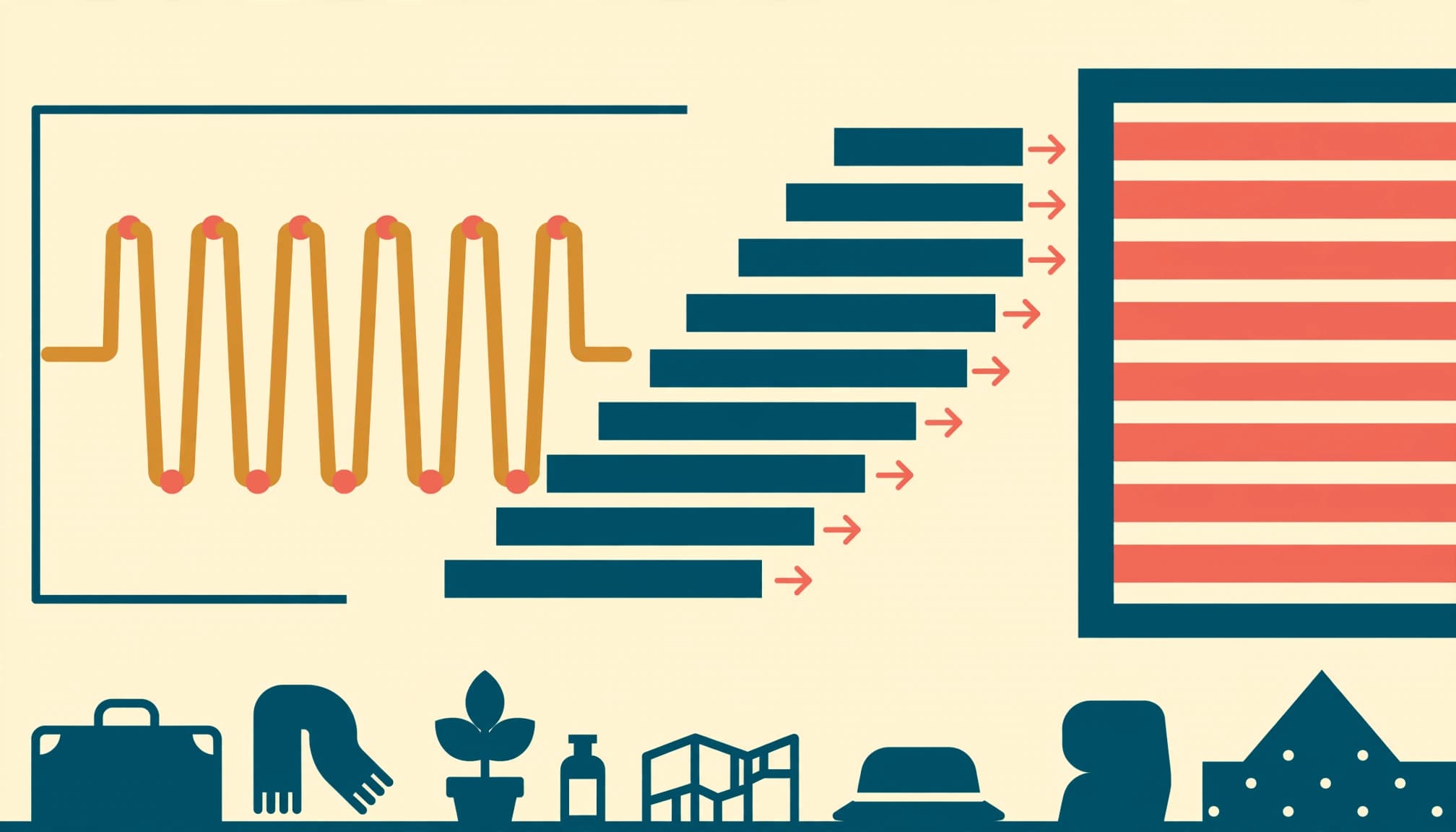
A rolling electronic shutter reads the sensor progressively. Different rows capture different phases of the light’s cycle, so some rows appear darker or change color.
Mechanical shutters can also show banding, especially at fast speeds when a narrow opening travels across the sensor. However, switching shutter type often improves the result.
The issue reached professional camera launches, too. When Canon announced the EOS R3 in September 2021, its launch announcement described anti-flicker shooting alongside features for demanding action photography. Even a camera built for fast sport needed tools for troublesome artificial lighting.
Change Shutter Mode Before Changing Everything Else
Try the fully mechanical shutter
Start with the shutter mode. Silent shooting commonly activates a fully electronic shutter, which can produce pronounced bands under pulsing lights.
Select the fully mechanical option if your camera offers it. Electronic front-curtain shutter is a separate mode, so choosing it doesn’t necessarily provide the same result.
Canon’s explanation of electronic and mechanical shutters describes how flickering sources can cause electronic-shutter banding. A mechanical shutter is a useful first move, although it isn’t a universal cure.
Keep venue rules in mind. In a quiet performance space where shutter noise is prohibited, slower electronic exposures may be your practical option.
Enable the appropriate anti-flicker feature
Conventional anti-flicker shooting usually times the release around detected brightness peaks under compatible lighting. It can reduce exposure or color differences between frames.
However, release timing may change slightly. Burst cadence can also become less predictable, which matters when photographing a fleeting gesture.
High-frequency anti-flicker controls address another problem: LED pulses that ordinary mains-frequency detection doesn’t handle. Depending on the camera, these controls detect a suitable speed or allow much finer shutter adjustments.
A cleaner starting point. Change one control at a time, then compare recorded photographs rather than judging only the live preview.
Choose Shutter Speeds That Match the Light
Begin with regional mains-frequency settings
Under lighting tied to mains frequency, these speeds are useful starting points.
| Lighting environment | Initial shutter speeds | Main limitation |
|---|---|---|
| 50 Hz supply, such as much of Europe | 1/50 or 1/100 second | Independent LED drivers may differ |
| 60 Hz supply, such as the United States | 1/60 or 1/120 second | Some cameras offer 1/125 instead |
| Static scene on a tripod | 1/10 second or longer | Moving subjects may blur |
| LED display or strongly dimmed fixture | Fine-adjusted shutter speed | Regional presets may not match |
Treat the table as a first test, not a guarantee. Japan also has both 50 Hz and 60 Hz supply regions.
At 1/125 second, an exposure doesn’t cover exactly the same interval as 1/120 second. That small difference can matter, although practical results depend on the fixture and shutter.
Fine-tune stubborn LEDs
If standard speeds still produce LED flicker bands, use high-frequency anti-flicker or variable-shutter controls where available.
Canon’s EOS R6 Mark II guidance describes choosing suitable shutter speeds to minimize high-frequency flicker. These fine adjustments can succeed where familiar whole-stop or third-stop settings fail.
When an advertising panel and the ceiling fixtures pulse at different frequencies, a shutter speed that cleans up the display may leave bands elsewhere in the frame, so judge the area that matters most.
For static architecture, lengthening exposure often averages more light cycles. For moving people, fine adjustment may preserve a faster speed without accepting obvious stripes.
Use a Repeatable Field Workflow

A station interior gives you useful test surfaces: pale ceilings make bands visible, while window frames reveal camera shake. Use a short sequence before waiting for your subject.
- Photograph the affected area with your current settings. Magnify the saved image and identify where stripes appear.
- Switch to fully mechanical shutter if available and permitted. Keep the exposure otherwise unchanged.
- Enable compatible anti-flicker shooting. Make another frame under the same fixtures.
- Test an appropriate mains-related shutter speed, then adjust more finely if the bands remain. Compensate with aperture or ISO.
- Review subject sharpness and important highlights before continuing. Save the working setup in a custom mode if your camera supports it.
Don’t change ISO first and expect the pulse pattern to disappear. ISO changes recorded brightness, but it doesn’t synchronize exposure with the light.
Also, test again after moving into another lighting zone. A station concourse and its ticket hall may use different fixtures.
A clean preview doesn’t guarantee a clean photograph. The preview and final exposure can use different timing, so inspect the recorded file.
Keep People Sharp and Lamps Under Control
Removing stripes is only useful if the photograph remains sharp. A traveler walking through a cafe may blur at 1/50 second, even when the background looks perfect.
For people, open the aperture or raise ISO while retaining a suitable shutter speed. Noise beats motion blur. Stabilization helps with camera movement, but it cannot freeze someone turning their head.
For a stationary facade or canal view, support the camera and use a longer exposure. ISO 100 and f/8 are sensible tripod starting points, with shutter duration adjusted for the available light.
Watch the lamps as exposure lengthens. Use highlight warnings and the histogram instead of trusting a bright rear screen. Saturated LED signs can clip an individual color channel before the overall image looks overexposed.
If autofocus hunts, focus on a bright architectural edge, then switch to manual focus for repeated static compositions.
Finally, remember that exposure bracketing solves excessive scene contrast. It doesn’t automatically solve flicker, and changing shutter speed across a bracket can change the bands between frames.
What Editing Can and Cannot Repair
RAW files help with mixed-light white balance and moderate exposure correction. However, they don’t restore detail that an uneven exposure never captured.
RAW won’t reverse that.
A broad, faint stripe across a plain wall may respond to a local exposure mask. Color bands can need separate local white-balance corrections. Work gently, because lifting a dark stripe also reveals more noise.
Narrow bands across faces or textured clothing are much harder to repair convincingly. Heavy smoothing removes detail along with the stripes.
Also, distinguish flicker from other problems. Stripes confined to an LED display may involve its refresh or scanning pattern. Moire produces interference patterns in fine detail rather than simple brightness differences across the scene.
Inspect important files on a larger screen while you’re still able to revisit the location.
Frequently Asked Questions
Can a smartphone stop LED flicker bands?
Sometimes. If your camera app offers manual shutter control, try the same mains-related speeds used on a dedicated camera. Adjust ISO to maintain brightness.
Where a photo app provides a 50 Hz or 60 Hz anti-banding option, choose the setting appropriate to the local supply. However, some apps expose these controls only for video.
Night mode may help a static scene by combining exposures, but it doesn’t guarantee band-free results. Brace the phone and inspect the saved image, especially around faces.
Does electronic front-curtain shutter prevent banding?
Not reliably. Electronic front-curtain shutter combines an electronic exposure start with a mechanical end, so its behavior differs from both fully mechanical and fully electronic operation.
Sony’s flicker troubleshooting guidance includes disabling electronic front-curtain shutter as one possible adjustment on supported cameras. The useful choice depends on the model and lighting.
If stripes remain, compare fully mechanical operation with a slower exposure. Test the saved frames under the actual fixture rather than assuming one shutter mode always wins.
Before You Leave the Location
Keep the working shutter speed long enough to photograph the moment you came for. If you move beneath different fixtures, repeat the brief test before relying on that setup.
Then inspect one final frame at 100% magnification. Look beyond the subject’s face to the pale ceiling above the platform, where faint horizontal bands are easier to spot.
